Welcome to TetherLines
A short orientation to how TetherLines works and where to find things.
TetherLines tracks your real estate business from first conversation through close, so you can see where you stand against your goals at any time.
The core loop
Your work moves through a few connected stages:
- Conversations are the starting point. On the Conversations page you enter the number of real estate conversations you had each day of the week, then select Save Week.
- Conversations lead to an Appointment, which you add with + Schedule Appointment and link to a client.
- Opportunities that aren't under agreement yet live in the Pipeline, grouped by follow-up timeline: 30 Days, 60 Days, 90 Days, and Nurture.
- When an agreement is signed, you record it as a Transaction — property, price, and commission — and move it through its stages, from Just Signed through Under Contract to Closed.
- When a transaction closes, your dashboard numbers update automatically.
The Dashboard
The Performance Dashboard is your home screen.
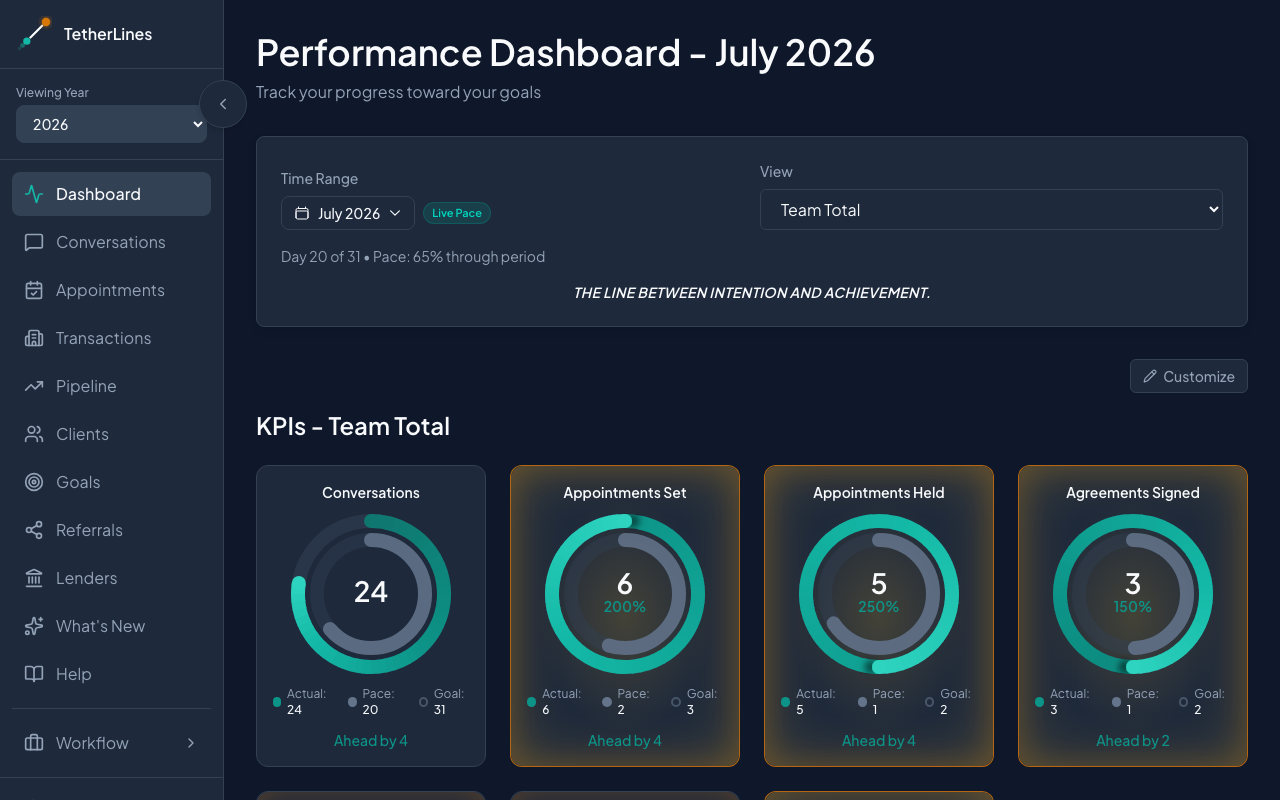 The Performance Dashboard, with the sidebar on the left and the Time Range and View controls at the top
At the top, the Time Range control switches between This Month, Year to Date, quarters, single months, or a custom date range, and the View selector picks whose numbers you're looking at.
Below that, the KPIs section shows a progress ring for each core metric — Conversations, Appointments Set, Appointments Held, Agreements Signed, Under Contract, Closed, and GCI — measured against the targets you set in Goals.
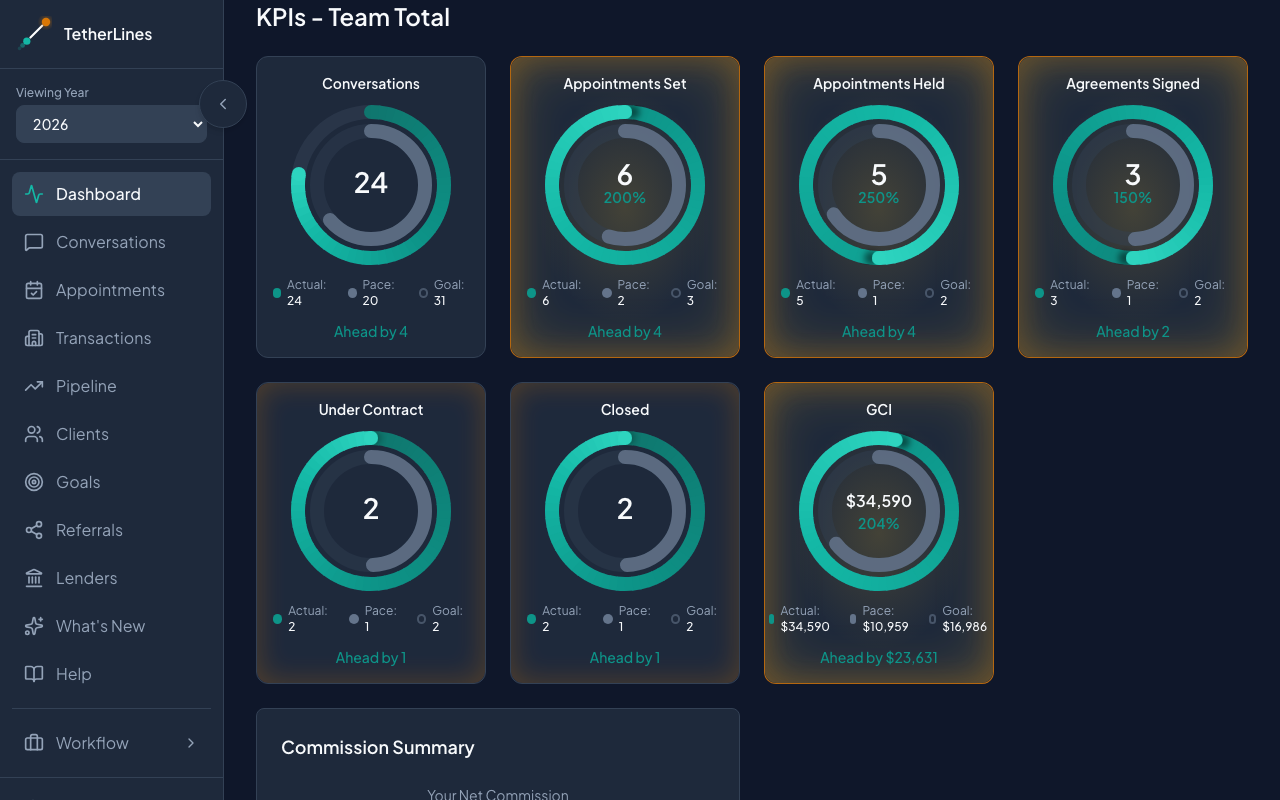 KPI progress rings compare each metric to its goal and current pace
Further down, charts and tables break the same numbers out by month, including the Annual Goal Tracker, Volume by Month, Transactions by Month, Business Summary, and Transaction Sources. Select Customize to rearrange, resize, or hide any card, then Done when the layout suits you.
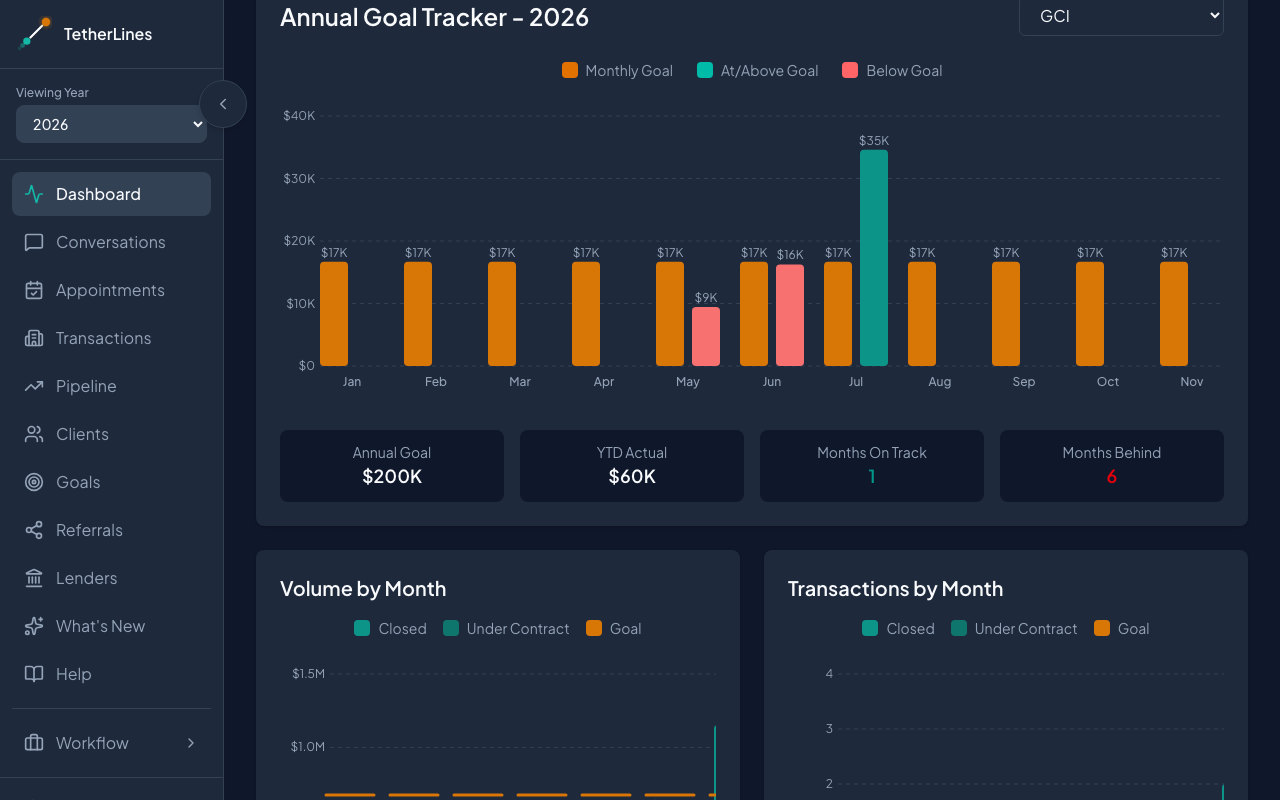 The Annual Goal Tracker breaks each metric out month by month
On a brand-new account, the dashboard also shows a short Welcome to TetherLines checklist that walks you through your first goal, client, appointment, and deal. It disappears once you're up and running.
Getting around
The sidebar on the left holds the main sections: Dashboard, Conversations, Appointments, Transactions, Pipeline, Clients, Goals, Referrals, and Lenders. Accounts with the TC add-on also see a TetherLines TC section — Files, Task Queue, Templates, and Inventory. Below that sit Coaching and Meeting, then What's New and Help. The Viewing Year selector sits near the top of the sidebar, and Settings and the theme toggle are at the bottom.
Where to go next
- Goals — set your annual targets so the rings have something to measure against.
- Clients — add the people you work with and record where they came from.
- Pipeline and Transactions — track early opportunities and record live deals through to close.
You don't need to fill everything in at once. Start with a goal and a client, and the rest follows from there.