Close a transaction and see GCI update
Mark a transaction Closed with a close date, then confirm the Dashboard GCI and Business Summary reflect it.
Closing a transaction moves it to the Closed stage and feeds its commission into your Dashboard. A close date is required, so the transaction lands in the right month.
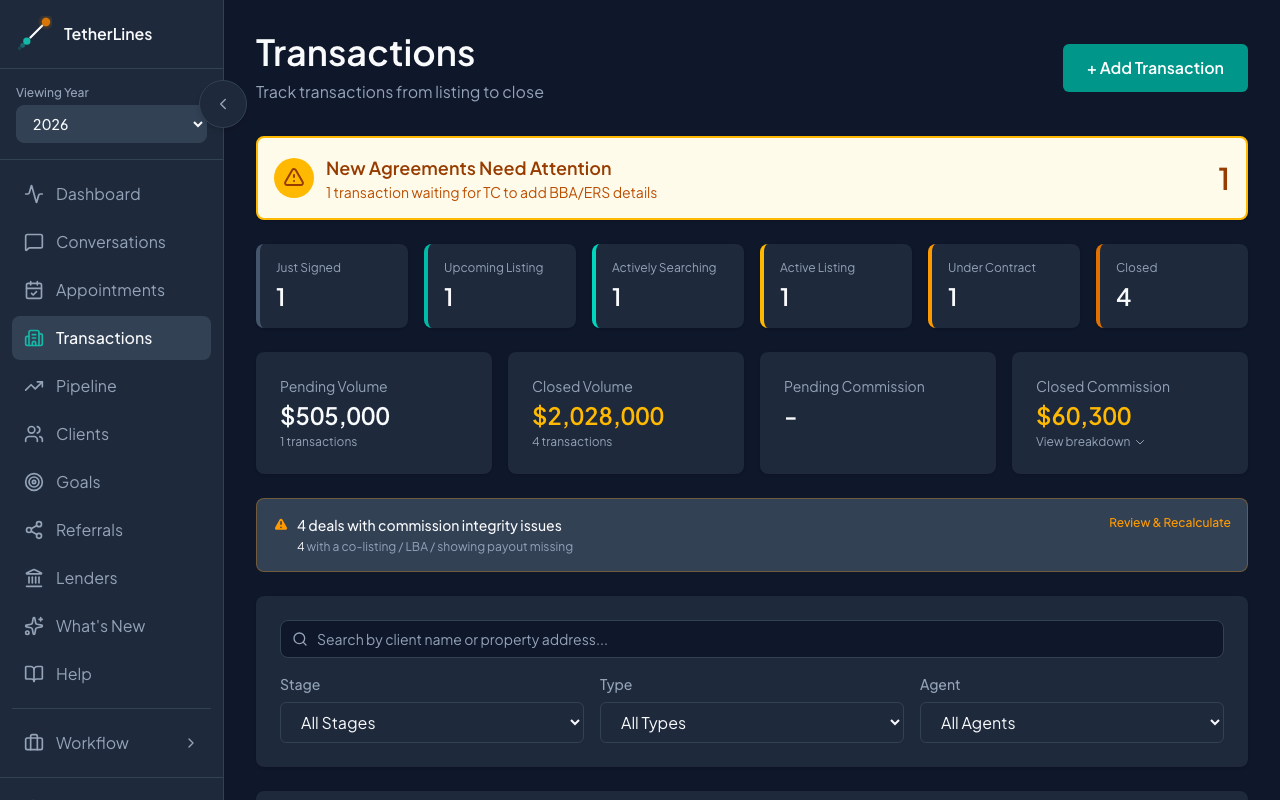 The Transactions page — stage counts, summary cards, and the transaction table
Close the transaction
- Open Transactions from the sidebar.
- Find the transaction in the table and click it to open the detail panel. You can search by client name or property address to narrow the list.
- Click Edit.
- Set the Stage field to Closed.
- Enter the Sold Price and the Close Date (Actual). Both fields appear once the stage is set to Closed. The close date is required.
- Click Save.
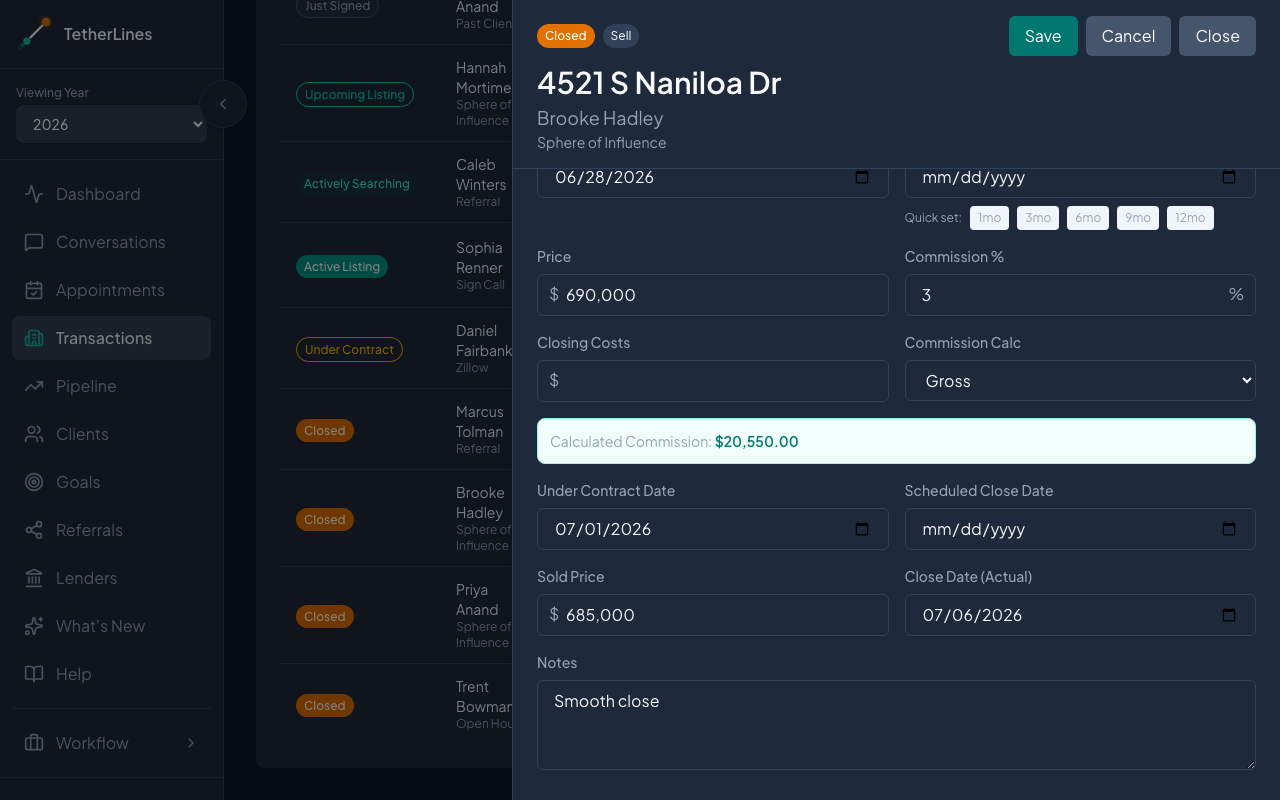 Editing a closed transaction — the Sold Price and Close Date (Actual) fields appear when the Stage is Closed
If you try to save without a close date, you'll see: "Please set a close date before marking the transaction as Closed."
Shortcut for under-contract transactions
If the transaction is already Under Contract, you don't need to edit the stage manually. Open it and use the Next Step panel: enter the Sold Price and Close Date, then click Move to Closed. A close date is required here as well.
Confirm the Dashboard updated
- Open Dashboard from the sidebar.
- The GCI ring reflects the added commission from the closed transaction.
- Back on Transactions, the Closed count, Closed Volume, and Closed Commission cards include it.
- On the Dashboard, the Business Summary picks it up under Closed Transactions (Listings) or Closed Transactions (Buyers), with the amount rolled into Volume Closed (Listings) or Volume Closed (Buyers).
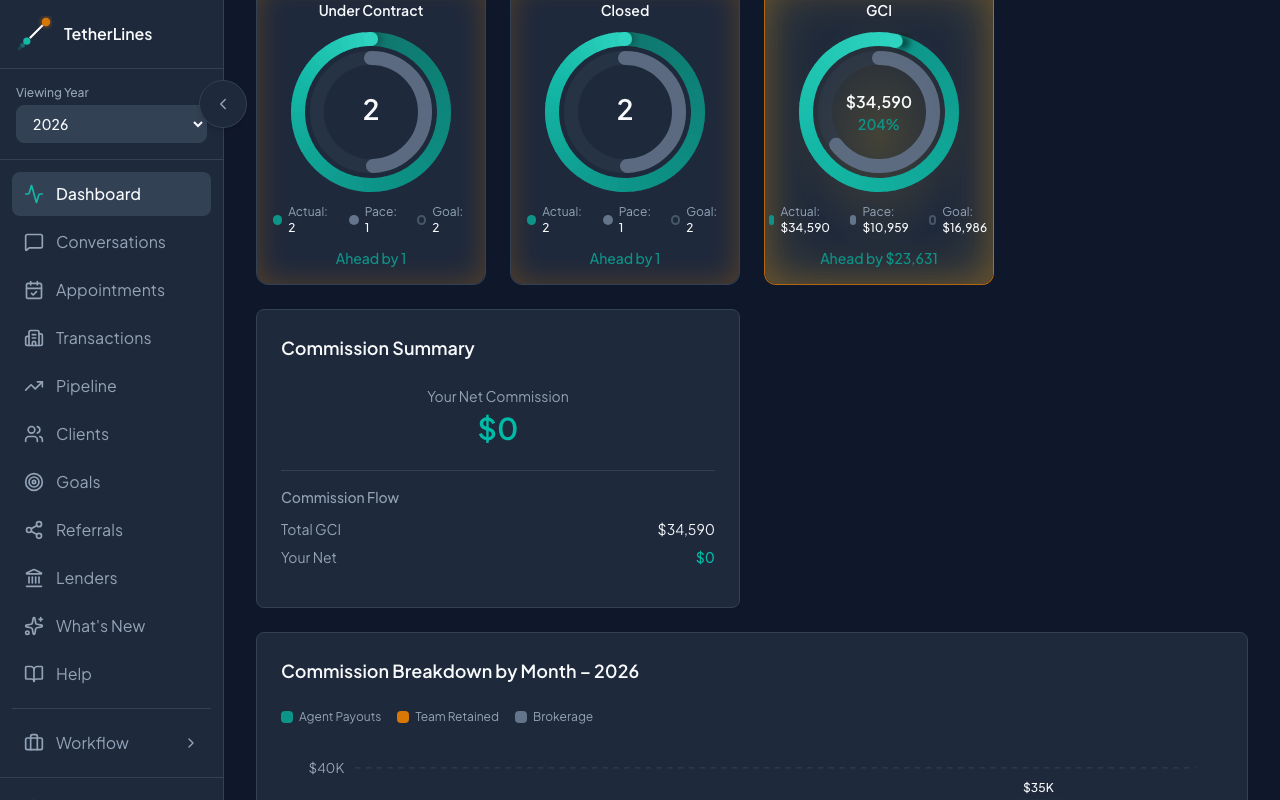 The Dashboard GCI ring includes commission from closed transactions
If the close date falls outside the selected year, change the Viewing Year selector near the top of the sidebar to the year of the close date.
A few things to check
- Year and time range matter. The Business Summary is scoped to the selected year, and the progress rings follow the Dashboard's selected time range. A January close shows up only when the selected year and range include it.
- Commission needs a price and percent. Commission is calculated from the price and the commission percent, and the Sold Price takes priority over the contract and list prices once entered. If the price or percent is missing, the transaction closes but adds nothing to GCI.
- Reopening a transaction. Change the Stage back from Closed and Save to pull it out of closed totals.